This week LIMA comes to Claude and ChatGPT. With the new MCP connector you can ask your assistant about everything LIMA watches for you on LinkedIn, in plain language, without opening the app. Here is what we shipped between 16 and 22 November 2026.
LIMA in Claude and ChatGPT: ask about your LinkedIn market in plain language
LIMA now has an MCP server, the standard way AI assistants connect to the tools you use. Once you add LIMA to Claude or ChatGPT, your assistant can read your feeds, daily and weekly reports, the posts LIMA collected, Engage today, your Important posts, your own LinkedIn profile stats and this week's post ideas. So you can ask "What did my competitors talk about on LinkedIn this week?", "Which companies in my Sales feed are hiring?" or "Find three posts worth commenting on today and draft a comment for each", and it answers from your own LIMA data. Access is read-only: the assistant can't change anything in LIMA, and LIMA never posts, comments or likes on LinkedIn for you. Questions don't use your daily LinkedIn quota, because the assistant reads what LIMA has already collected.
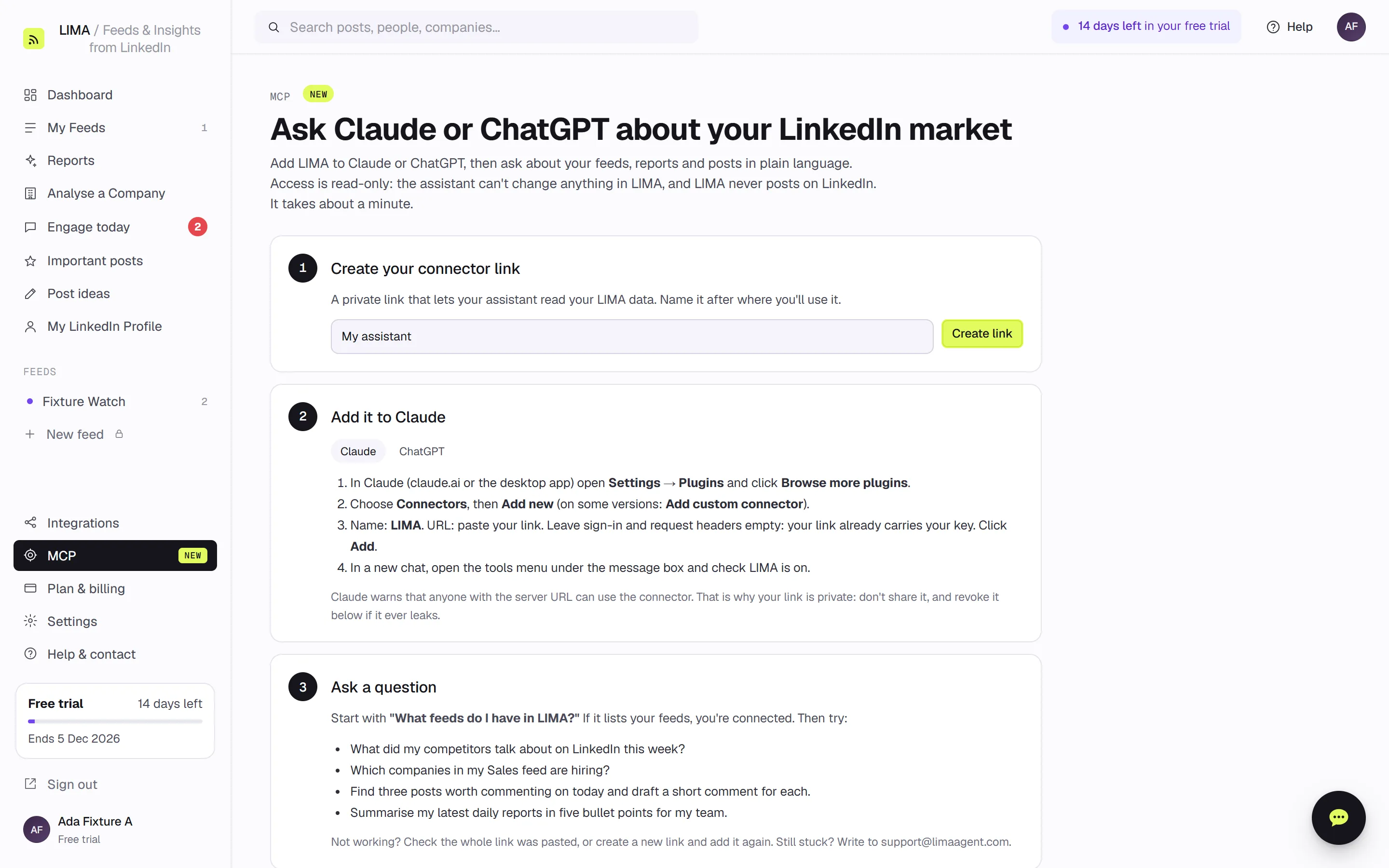
Connector link: add LIMA to Claude or ChatGPT in about a minute
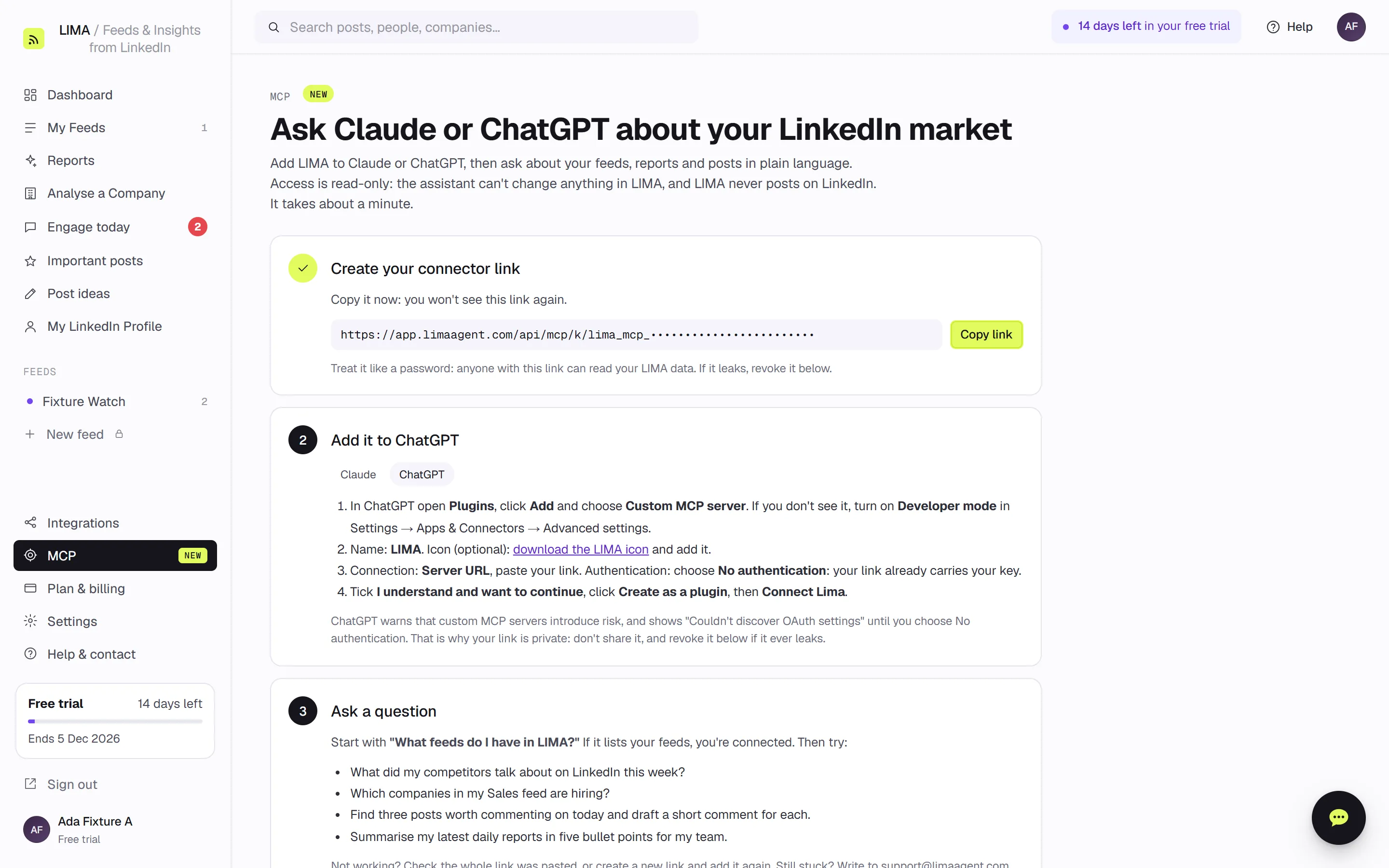
Setup is three steps on the new MCP page in the LIMA menu. Create your connector link and copy it. In Claude (claude.ai or the desktop app) open Settings → Plugins, browse more plugins, choose Connectors and add a new one with your link. In ChatGPT open Plugins, add a custom MCP server, paste the link and choose No authentication; you can download the LIMA icon from the page to go with it. Then ask "What feeds do I have in LIMA?" to check it works. Your link works like a password, so LIMA shows it only once. Your links stay listed with the date each was last used, and you can revoke any of them in one click if it ever leaks.
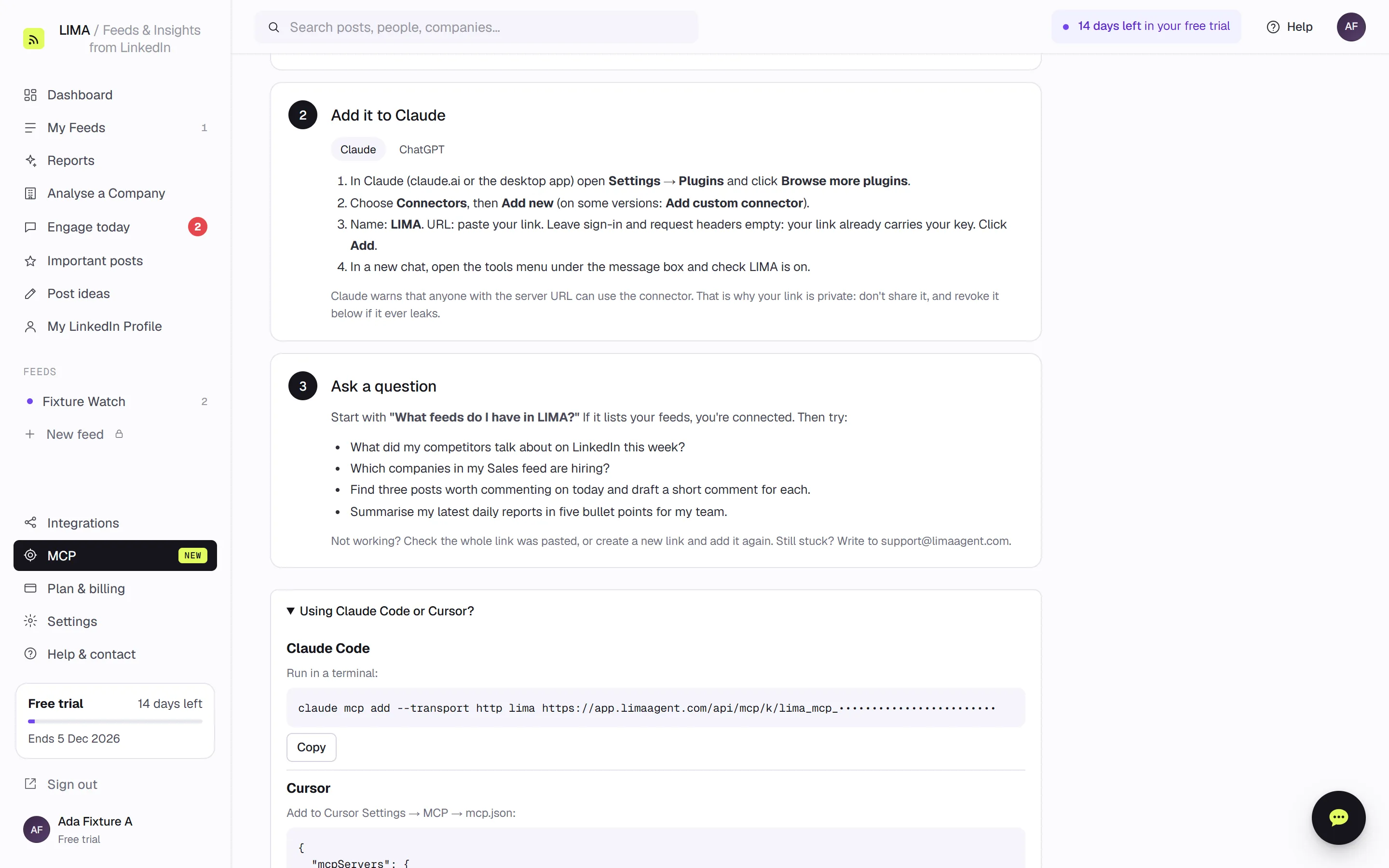
Claude Code and Cursor: the same link works there too
Working in Claude Code or Cursor? Open "Using Claude Code or Cursor?" on the MCP page and LIMA shows a ready-made setup for both, built from the same connector link: one terminal command for Claude Code, and one entry to paste into Cursor's MCP settings. Nothing else to install or configure. LIMA's MCP server follows the open Model Context Protocol, so other MCP clients can connect with the same link too. Every app you connect gets the same read-only access to your feeds, reports and posts, and you can revoke each link separately.
See it in your own feeds
LIMA reads the companies and people you follow on LinkedIn and tells you what changed. It never posts, comments or likes for you.
Screenshots come from the LIMA demo with sample data. Subscribe via RSS.